
Your company’s finances, governed with quiet precision.
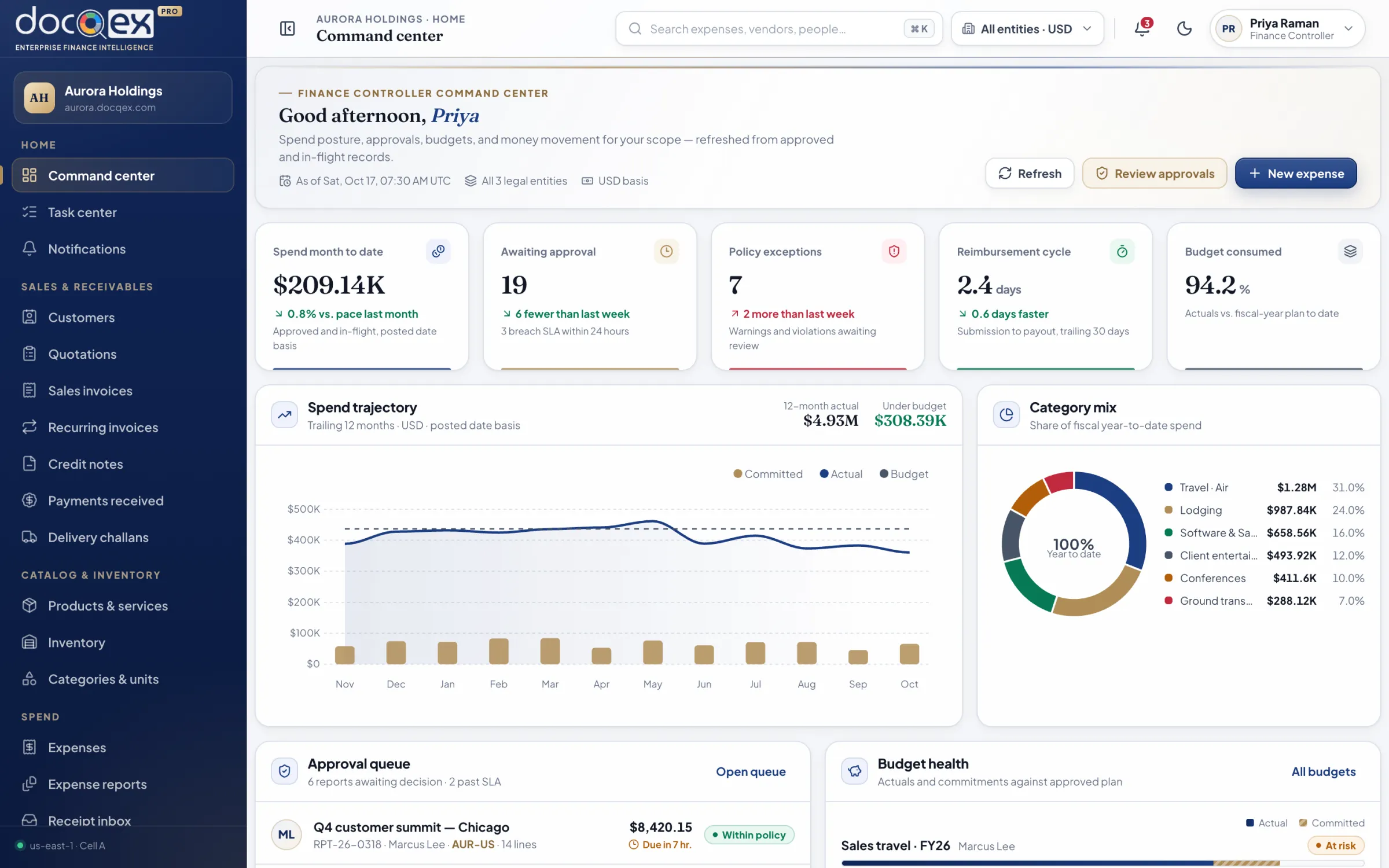
DocQex brings expenses, corporate cards, travel, procurement, payables, and receivables into one tenant-isolated platform — with policy, approvals, and audit built into every record.
- Tenant-isolated data
- SSO & MFA enforced
- Audit-ready by design
- Tenant-isolated by design
- OIDC single sign-on & MFA
- Append-only audit trail
- Decimal-exact, multi-currency
- Residency-aware deployment
Three operating cycles. One governed record.
Most finance teams stitch together an expense tool, a procurement tool, an invoicing tool, and a spreadsheet to reconcile them. DocQex runs them on one model of entities, policies, approvals, and evidence.
Employee spend
Expenses, receipts, mileage, per diem, cards, travel, reimbursements, and advances.
- Receipt inbox & extraction
- Card matching & disputes
- Trips, advances & settlement
Procure to pay
Vendors, purchase requests, orders, receipts, bills, matching, and scheduled payments.
- Budget-checked requests
- Three-way matching
- Payment runs with maker-checker
Order to cash
Customers, quotations, challans, invoices, recurring billing, and collections.
- Quotation-to-invoice flow
- Payment allocation
- Statements, aging & dunning
Governance & insight
Policies, approvals, budgets, documents, audit, and reconciled accounting exports.
- Versioned policy engine
- Actual vs. committed budgets
- Tamper-evident audit
Dense where it matters. Calm everywhere else.
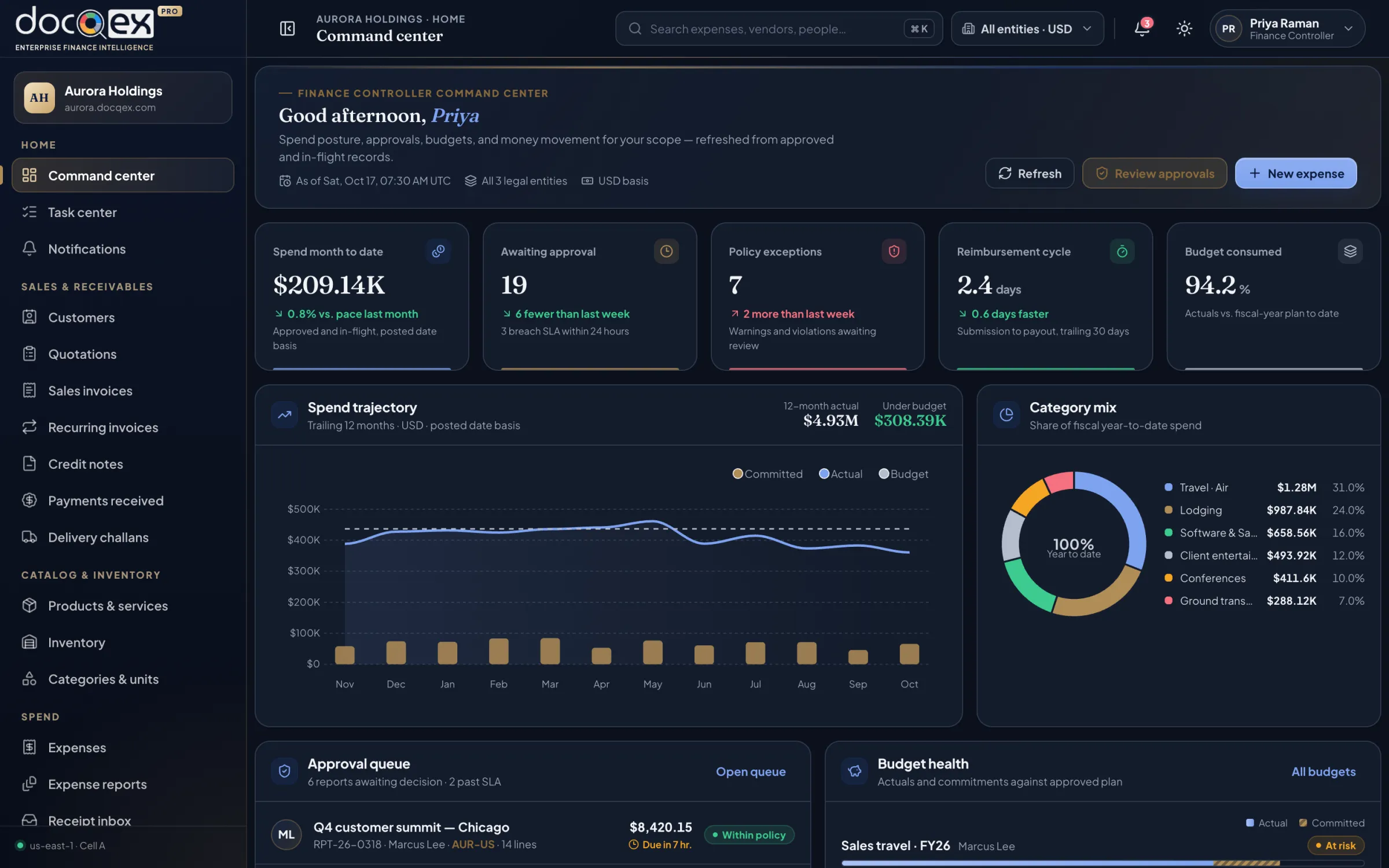
A compact, finance-grade interface: every register sortable and filterable, every figure labelled with its currency and basis, every action showing its consequence.
From receipt to reconciled ledger, without the chase.
Every record follows the same governed path — so a card line, a vendor bill, and a sales invoice are equally traceable.
- 01
Capture
Receipts, card lines, bills, and requests arrive by app, email, or feed — read and de-duplicated.
- 02
Evaluate
A versioned policy set checks every line and records the exact result for audit.
- 03
Approve
Routed by amount, entity, and risk, with delegation, SLA timers, and escalation.
- 04
Pay
Reimbursements and vendor payments released in runs with separated duties.
- 05
Reconcile
Cards, bills, statements, and payments matched — exceptions queued, not buried.
- 06
Export
Locked, idempotent accounting exports with batch totals and linked corrections.
- Monthly availability target
- 99.9%
- Recovery point objective
- 15min
- Default audit retention
- 7yrs
- Tenant data shared between customers
- 0
A workspace for every seat at the table.
Navigation, dashboards, and data are shaped by role, entity, and responsibility. Everyone sees what they need — and nothing they shouldn’t.
Explore solutions by roleSee the whole group — actual, committed, and owed — without reconciling spreadsheets.
See how Controllers & accountantsAccounting, AP, AR, and close teamsClose faster with records that arrive coded, matched, and evidenced.
See how Managers & approversDepartment heads, budget owners, delegatesApprove with confidence in seconds — policy, budget, and history beside every request.
See how EmployeesEveryone who spends on the company’s behalfSnap, submit, and get paid back — without learning finance jargon.
See how ProcurementBuyers, procurement leads, vendor managersControl spend at the point of commitment, with vendors you’ve verified.
See how Travel deskTravel managers and coordinatorsTrips approved within budget and settled without reconstruction.
See howEvery entity. Every currency. Exactly.
Each legal entity keeps its own currency, tax profile, numbering, and banking. Amounts use decimal arithmetic — never floating point — and the original amount, rate, source, and converted value are locked the moment a record is submitted.
- Transaction, entity, settlement, and reporting currencies kept distinct
- Tax-inclusive, recoverable, reverse-charge, and withholding stored separately
- Exported records lock; corrections link to the original
- Original amount
- ₹91,133.31 INR
- Rate · RBI reference, 14 Oct
- × 0.011998
- Converted amount
- $1,093.42 USD
- Rounding adjustment
- $0.00
- Recoverable GST (18%)
- ₹13,901.69
Intelligence that defers to judgment.
DocQex reads receipts, suggests coding, explains policy, and surfaces duplicates and anomalies. Every suggestion shows its confidence and evidence — and nothing is approved, paid, or posted without an authorized person.
- Permission-aware: context never crosses tenant or field boundaries
- Every prompt, output, and decision is auditable
- Your data is never used to train shared models without opt-in
Code Notion — ₹91,133.31 to CC-5100 · Software subscriptions
- 11 prior Notion expenses coded CC-5100 in AUR-IN
- Receipt line: “Team plan · annual”
- Within Software policy v3 — no exceptions
Approvals and receipts, wherever work happens.
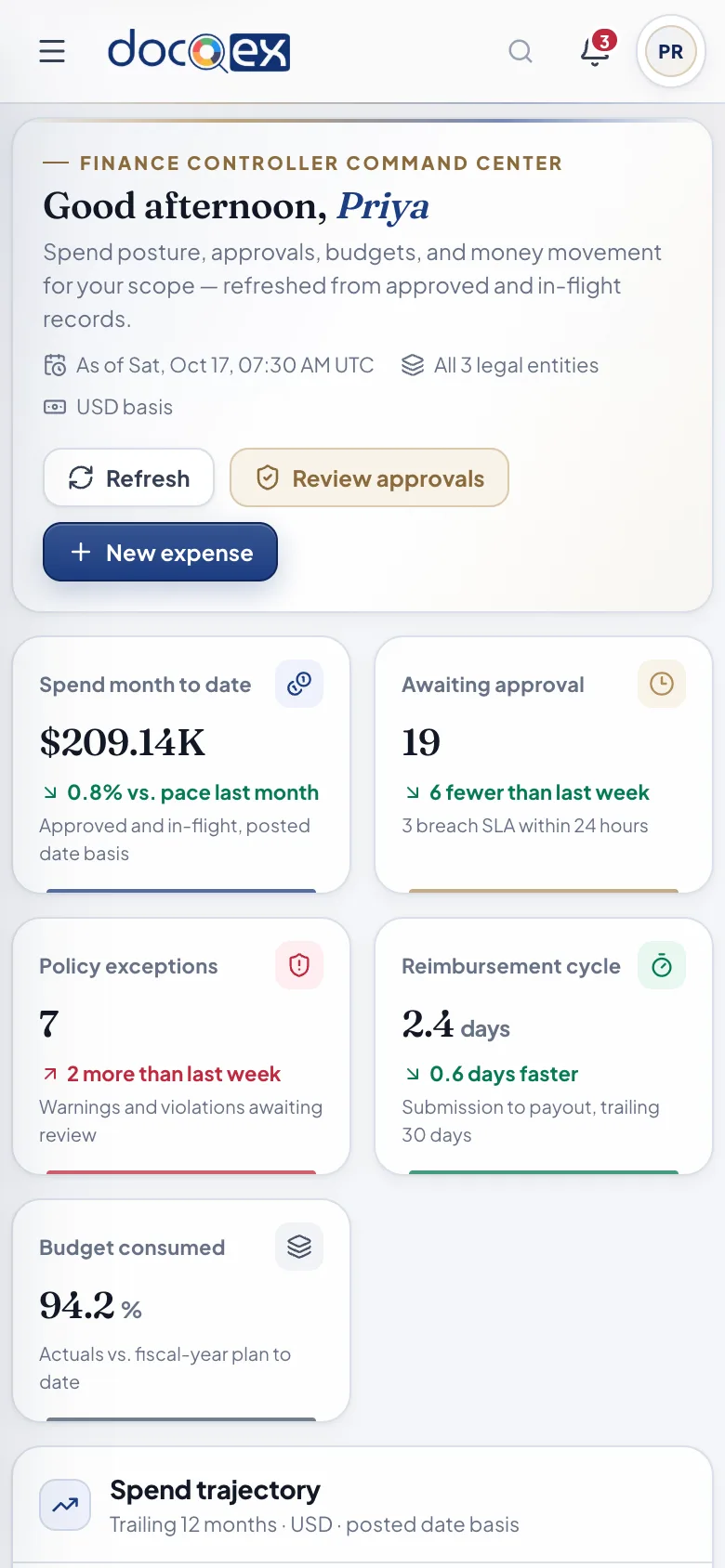
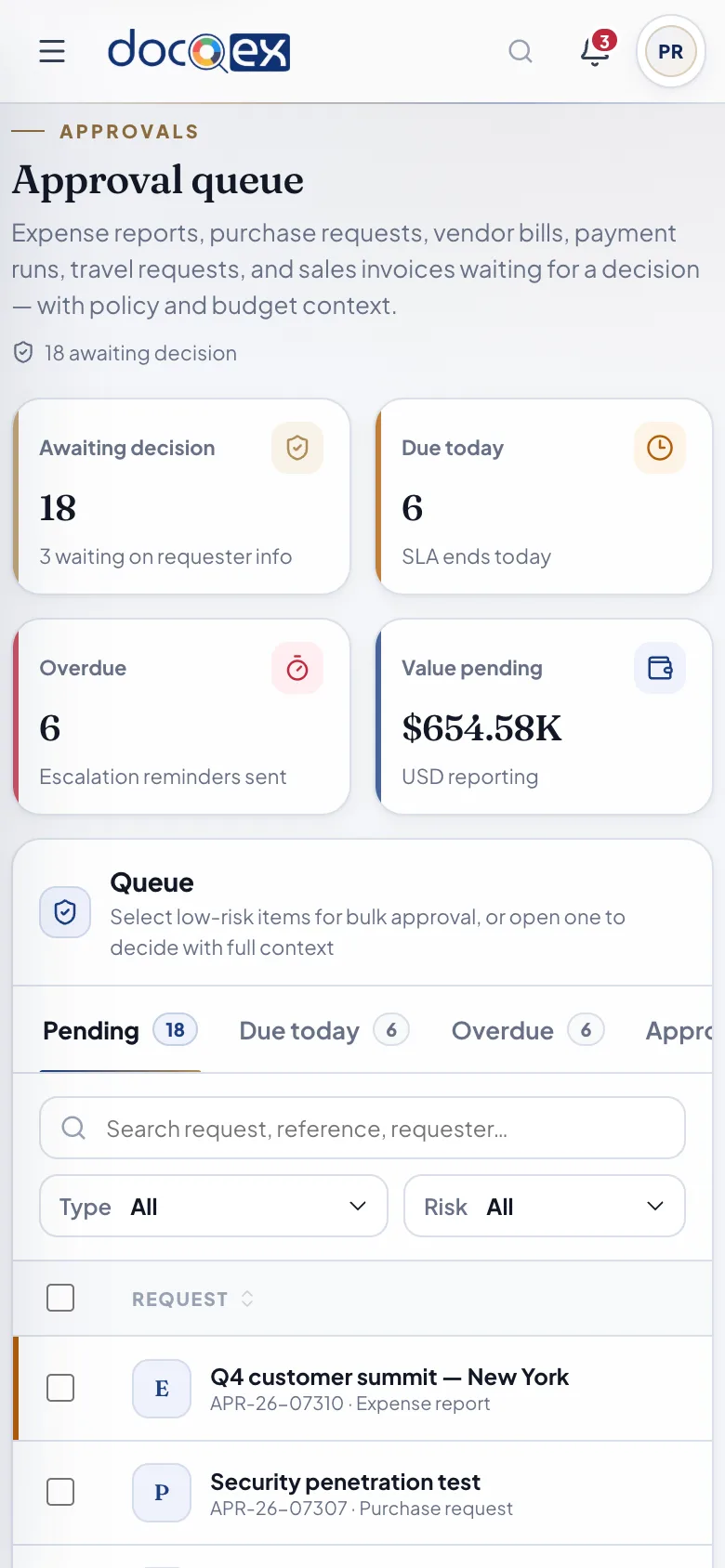
The same governed workspace adapts to every screen. Employees capture receipts on the move; managers clear their queue between meetings — with the full policy and budget context intact.
Built for employees and approvers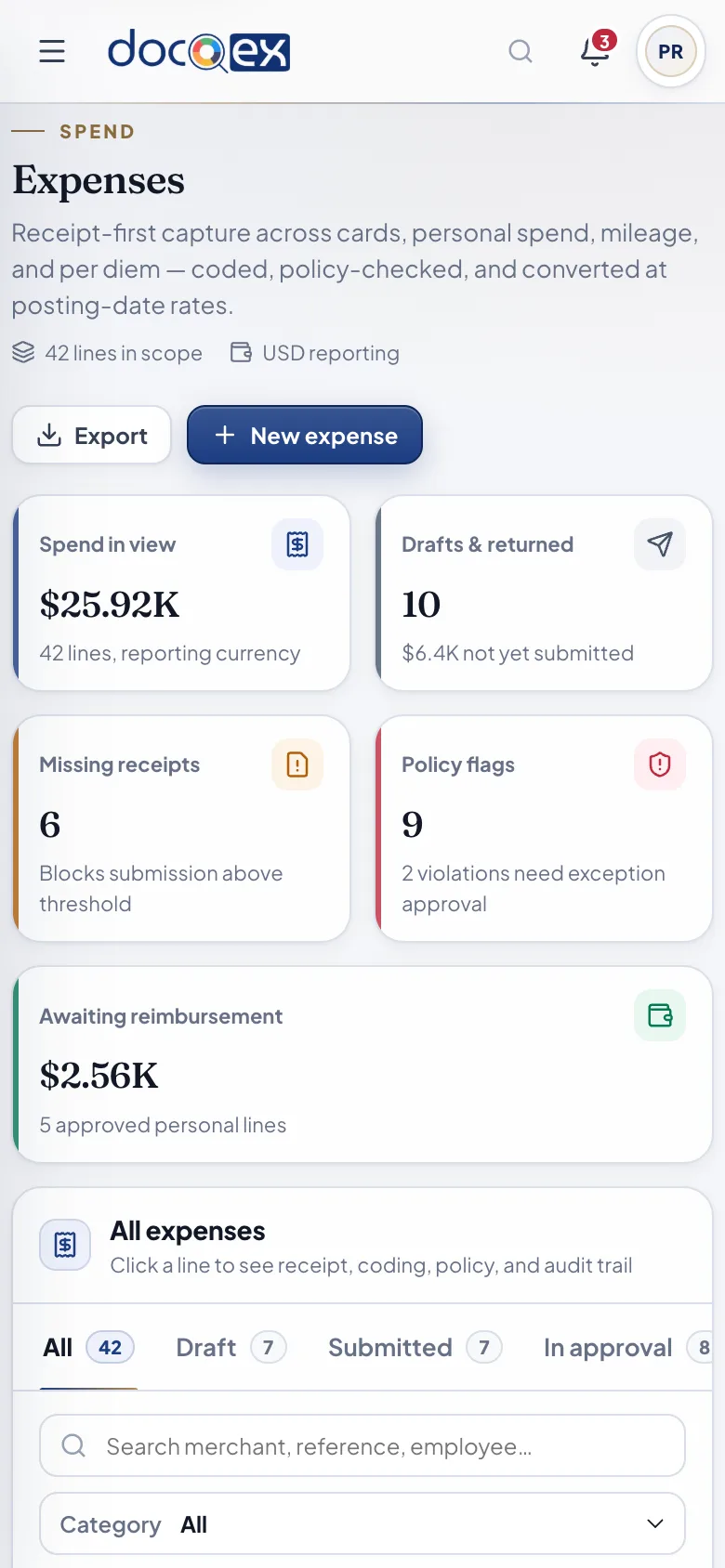
Isolation isn’t a setting. It’s the architecture.
Every request is bound to one tenant before it touches data — and that boundary follows the record into files, caches, jobs, search, exports, and audit.
Read the security overview- Step 1
Verified host
Only configured DocQex or verified custom domains are accepted.
- Step 2
Resolved tenant
The subdomain maps to exactly one active tenant — or fails closed.
- Step 3
Authenticated person
OIDC with PKCE through your identity provider; no passwords stored.
- Step 4
Enforced twice
Application authorization and database row-level security, independently.
Fits the systems you already trust.
Accounting, identity, HRIS, cards, banking, and collaboration — connected through replaceable adapters with explicit source-of-truth rules.
What finance teams ask first
Is DocQex only for expenses?
No. DocQex covers employee spend (expenses, reimbursements, advances, cards, and travel), procure-to-pay (vendors, purchase orders, bills, and payment scheduling), and order-to-cash (quotations, invoices, recurring billing, and collections), backed by budgets, documents, and audit.
Does DocQex replace our accounting system?
DocQex is not a general ledger. It produces accounting-ready, reconciled exports to your system of record — with mappings, batch totals, rejected-row handling, and reversals — so your ledger stays the single source of truth.
How is our data kept separate from other customers?
Every customer is a separate tenant reached through its own subdomain. Tenant context comes from the validated host and your authenticated membership, and is enforced independently by the application and by database row-level security. Files, caches, jobs, search, and exports all carry the same tenant boundary.
We have several legal entities in different countries. Is that supported?
Yes. A tenant can hold multiple legal entities and branches, each with its own currency, tax profile, numbering, and banking. Original amounts, exchange rates, and converted values are recorded exactly with decimal arithmetic and locked once a record is submitted.
What does the AI actually do?
It reads receipts, suggests coding, explains policy, and surfaces duplicates and anomalies — always showing its confidence and evidence. It cannot approve, pay, post, or change records without an authorized person, and your data is never used to train shared models without explicit contractual opt-in.
How long does it take to go live?
Most teams start with employee spend and approvals, then add cards, procurement, and receivables. Import tooling validates your organization, employees, categories, and mappings before anything is committed, so onboarding is predictable rather than heroic.
See your finance operation, composed.
A private, forty-five minute walkthrough shaped around your entities, policies, and approval structure — with the people who build DocQex.
- 45 minutesTailored to your workflows
- Product specialistsNo scripted sales pitch
- Security review readyArchitecture and controls pack