Workspace sign-in

Sign in to your organisation

Every DocQex customer has a private workspace address. Enter yours to continue.

.docqex.com

The name your administrator shared with you, e.g. acme.

Don't know your workspace? Ask your finance administrator or contact us. DocQex operators sign in at admin.docqex.com.

Solutions

Built for every seat at the table.

DocQex shapes navigation, dashboards, and data around each person’s role, entity, and responsibilities — so finance leaders, approvers, employees, and auditors each get a workspace that fits.

Finance leadersCFOs, finance directors, group controllers

See the whole group — actual, committed, and owed — without reconciling spreadsheets.

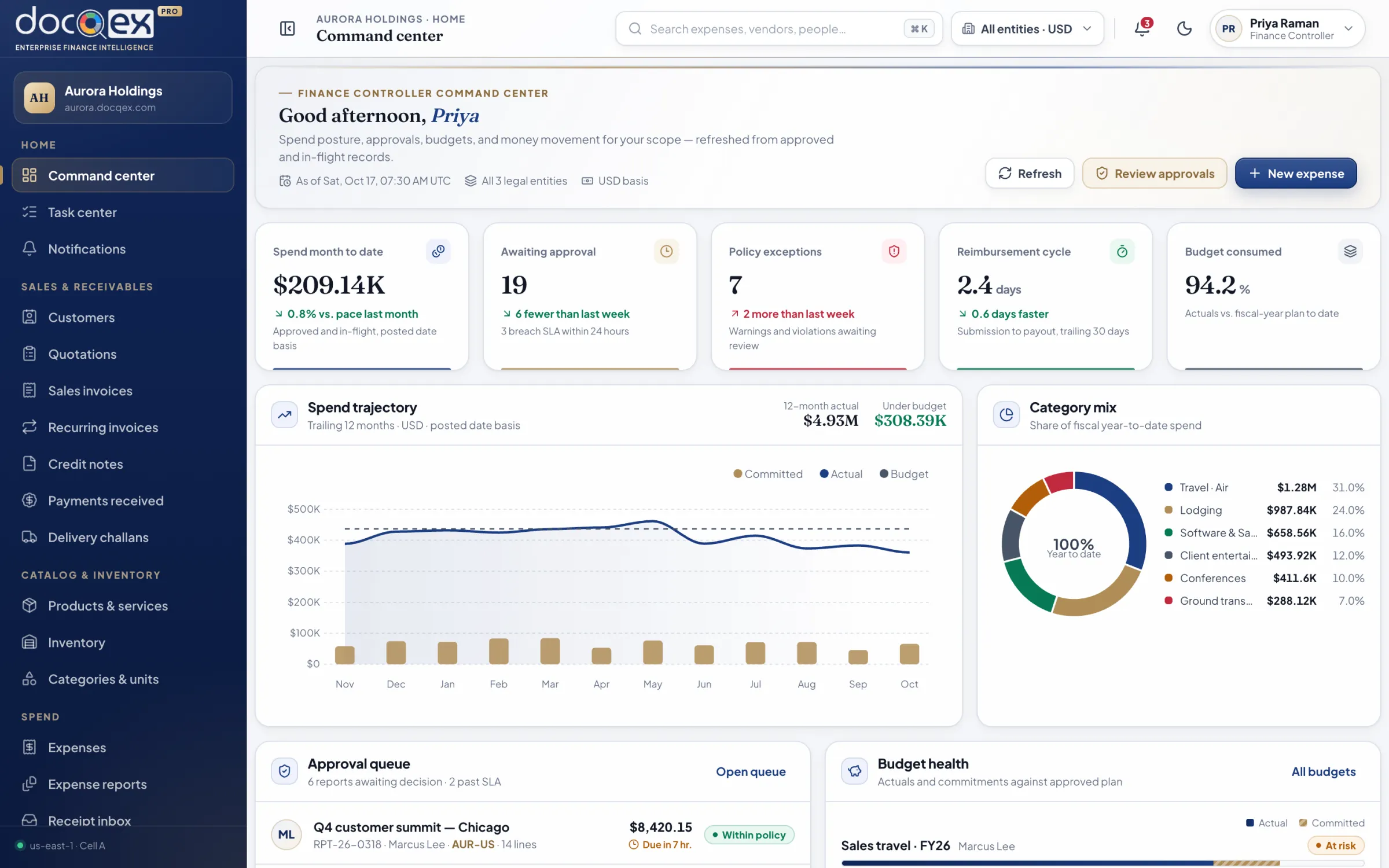
A command center that separates actual spend, commitments, forecast, reimbursable liability, and unpaid payables, so every number is counted once and drills down to its source.

  • Group-wide spend posture across every entity and currency
  • Budget headroom that includes commitments, not just actuals
  • Policy-exception and SLA risk surfaced before close
  • Export and close status at a glance
DocQex command center with spend, approvals, policy exceptions, reimbursement cycle, and budget KPIs
Controllers & accountantsAccounting, AP, AR, and close teams

Close faster with records that arrive coded, matched, and evidenced.

Card lines match themselves, bills are checked against orders and receipts, and exports reconcile batch totals with accepted and rejected rows — so close is a review, not a hunt.

  • Coding suggestions confirmed in a single queue
  • Card, bill, and payment reconciliation in one place
  • Locked exported records with linked corrections
  • Idempotent, reconciled accounting exports
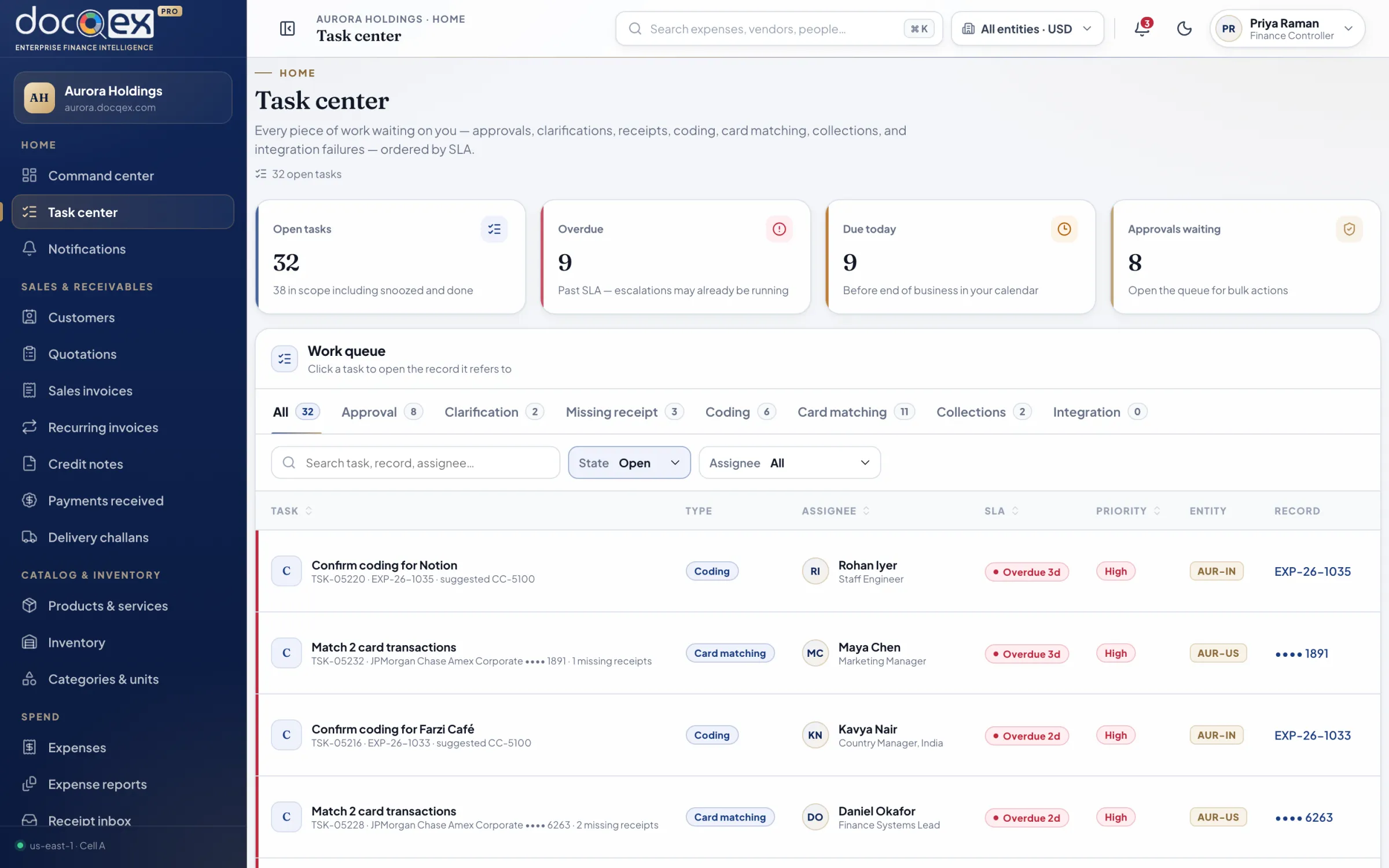
Task center listing approvals, coding, card matching, and collections ordered by SLA
Managers & approversDepartment heads, budget owners, delegates

Approve with confidence in seconds — policy, budget, and history beside every request.

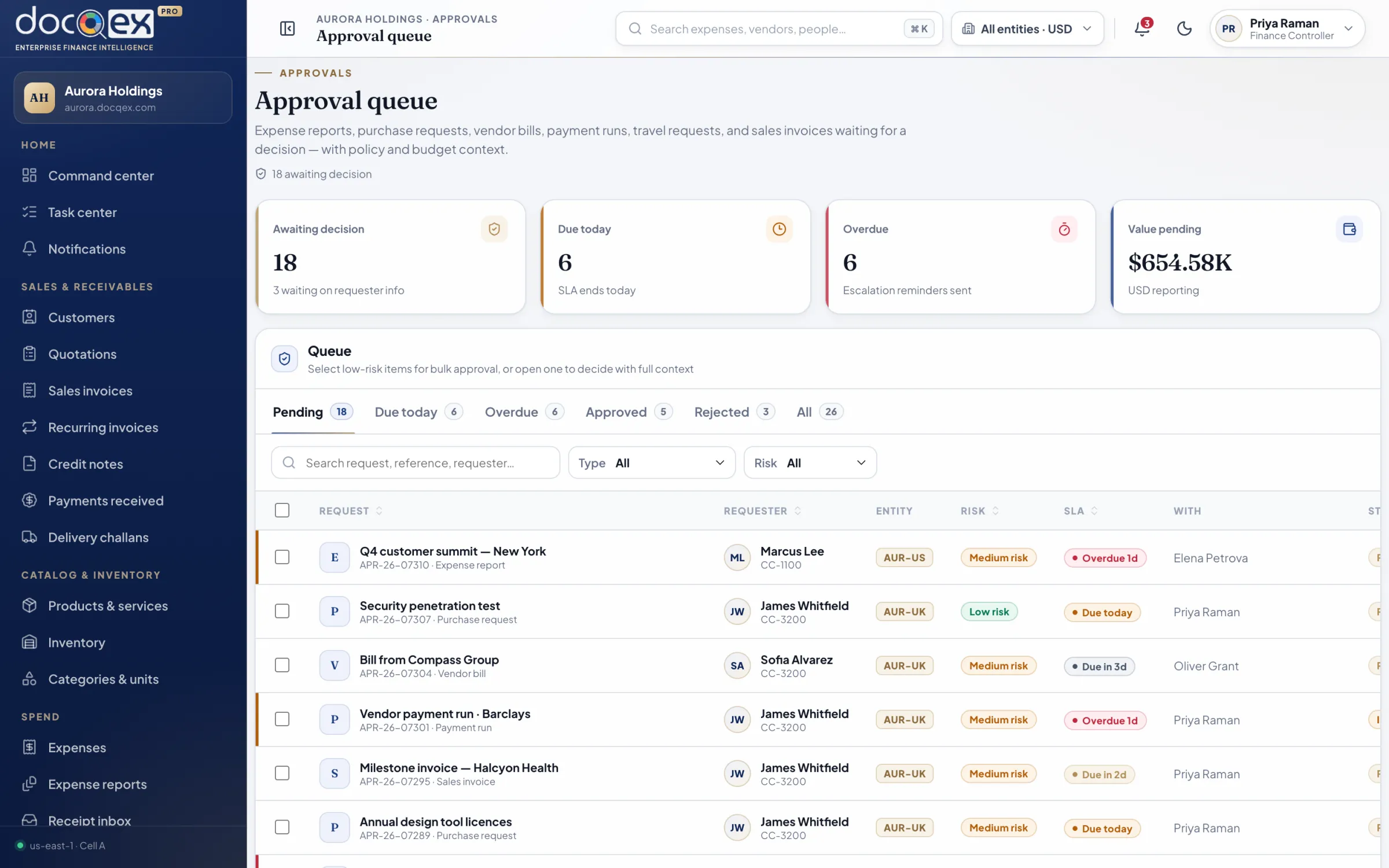
One queue for expense reports, purchase requests, bills, payment runs, and travel. Low-risk items clear in bulk; anything unusual shows why it was flagged.

  • Unified approval queue with SLA timers
  • Policy and budget context on every decision
  • Delegation while away, with full audit
  • Approve from a phone between meetings
Approval queue with risk, SLA, and entity context for each request
EmployeesEveryone who spends on the company’s behalf

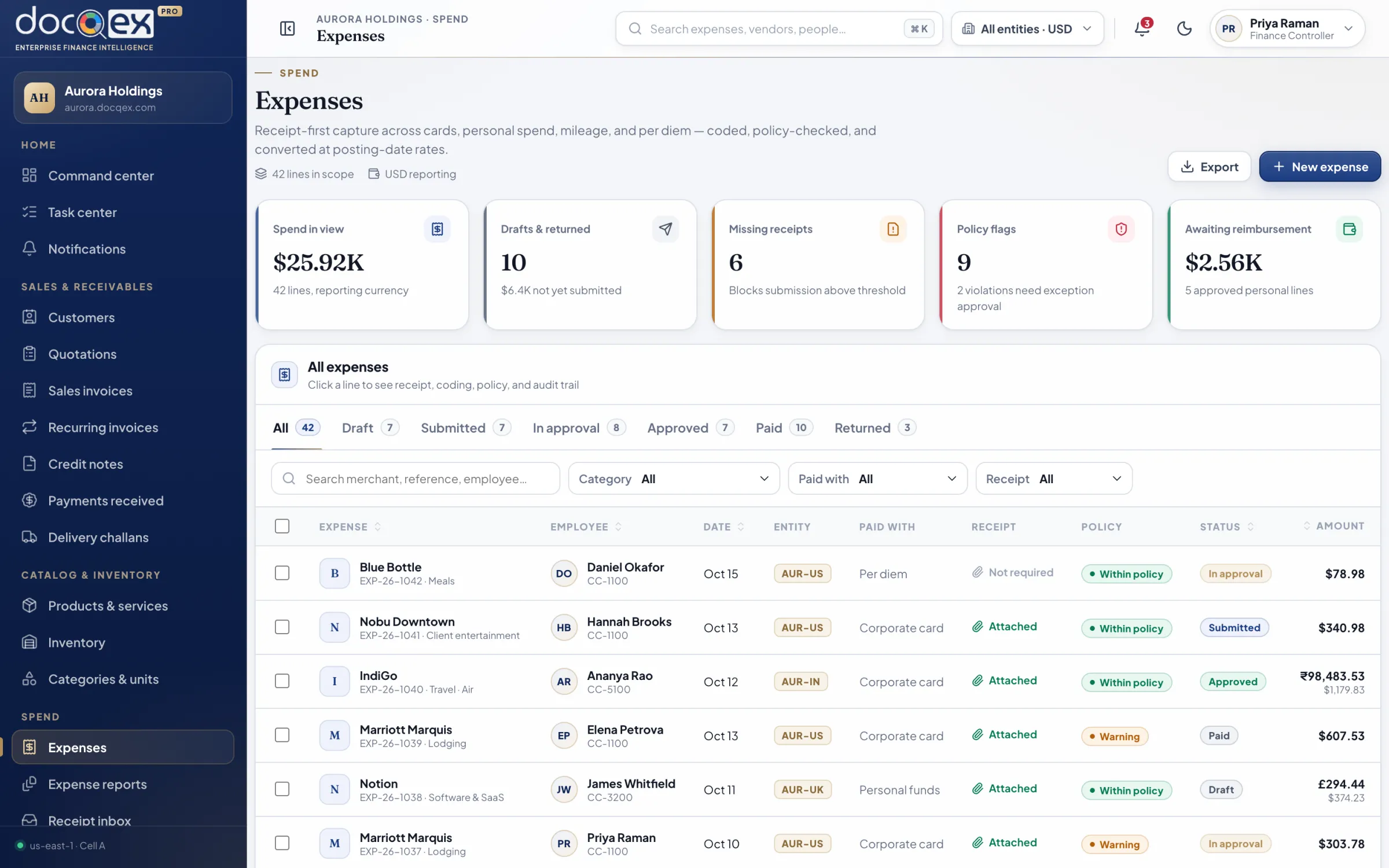
Snap, submit, and get paid back — without learning finance jargon.

Receipts are read for you, policy issues are explained before you submit, and reimbursement status is always visible. Card holders match charges with a tap.

  • Receipt capture with automatic extraction
  • Plain-language policy guidance before submission
  • Live reimbursement and advance status
  • Mileage and per diem calculated for you
Expenses register with policy status, entity, and multi-currency amounts
ProcurementBuyers, procurement leads, vendor managers

Control spend at the point of commitment, with vendors you’ve verified.

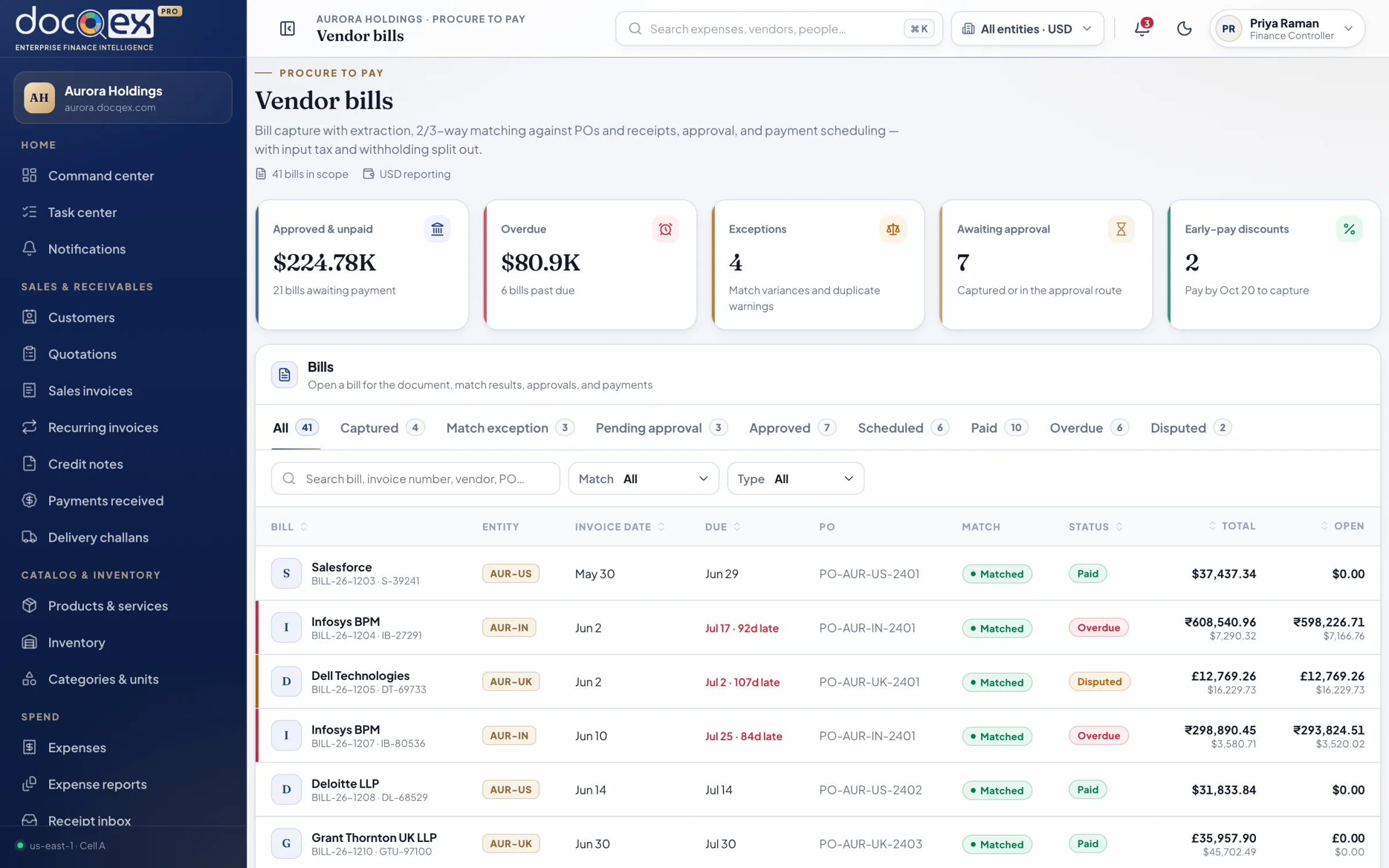
Requests consume budget the moment they’re approved. Quotes are compared side by side, orders flow to receipts and bills, and vendor bank-detail changes require independent approval.

  • Purchase requests with budget checks
  • Quote comparison and purchase orders
  • Goods receipts, returns, and three-way match
  • Verified vendor onboarding and statements
Vendor bills with matching status and payment scheduling
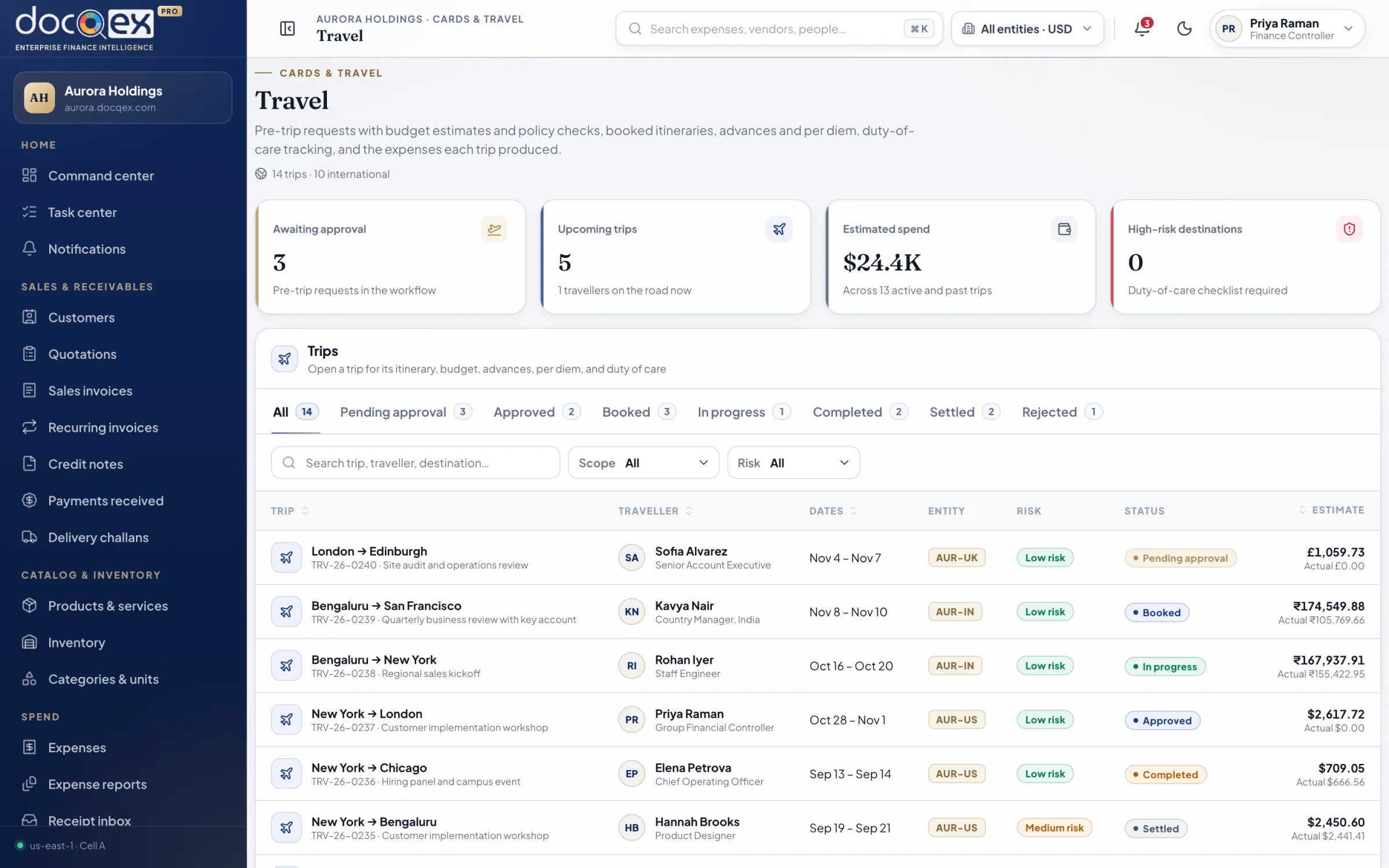
Travel deskTravel managers and coordinators

Trips approved within budget and settled without reconstruction.

Pre-trip approval sets the budget and advances; itineraries and every resulting expense stay grouped under the trip for a clean settlement.

  • Travel requests with trip budgets
  • Advances issued and settled per trip
  • Itineraries and traveller coordination
  • Trip-level spend versus budget
Travel requests with trip budgets and itineraries
AuditorsInternal audit, external auditors, compliance

Trace any record from origin to payment, export, and correction.

Read-only access to an append-only audit trail with the policy version, approver, evidence, and change set behind every material record — exportable with integrity metadata.

  • 01Append-only, tamper-evident audit events
  • 02Policy version recorded on every evaluation
  • 03Evidence linked to every financial record
  • 04Seven-year retention by default
IT & administratorsFinance systems, IT, and security teams

Federated identity, least privilege, and configuration you can prove.

Connect your identity provider, provision through SCIM, and enforce MFA. Roles and attributes scope every record; every configuration change is effective-dated and audited.

  • 01OIDC and SAML federation with MFA
  • 02SCIM and HRIS joiner-mover-leaver sync
  • 03Role- and attribute-based access control
  • 04Access reviews and segregation-of-duties checks
By organization

From scaling teams to global groups.

Multi-entity groups

Holding companies and groups with subsidiaries across countries. Each entity keeps its currency, tax, numbering, and banking; leadership sees the consolidated picture.

Legal entities & branchesPer-entity currencyGroup reporting

Scaling companies

Teams outgrowing spreadsheets and a patchwork of tools. Start with expenses and approvals, then add cards, procurement, and invoicing as you grow.

Fast onboardingModular editionsValidated imports

Regulated & audited

Organizations that answer to auditors, boards, and regulators. Segregation of duties, append-only audit, retention, and residency are built in, not bolted on.

Segregation of duties7-year retentionData residency
Private demonstration

See your finance operation, composed.

A private, forty-five minute walkthrough shaped around your entities, policies, and approval structure — with the people who build DocQex.

  • 45 minutesTailored to your workflows
  • Product specialistsNo scripted sales pitch
  • Security review readyArchitecture and controls pack
Private demonstration

Book a demo, shaped around you.

Tell us about your organization and we’ll tailor the walkthrough to your entities, policies, and approvals.

What would you like to see?
We use your details only to respond to this request. See our privacy notice.