Twelve modules on a single model of entities, policies, approvals, and evidence. Start with the workflows that hurt most today and add the rest without migrating anything.
Employees snap a receipt or forward it to the receipt inbox; DocQex extracts the details, flags duplicates, and checks policy before anything is submitted.
Receipt inbox with extraction and duplicate detection
Itemization, splits across cost centers and projects
Mileage, per diem, and multi-currency claims
Reports bundle items with live policy results
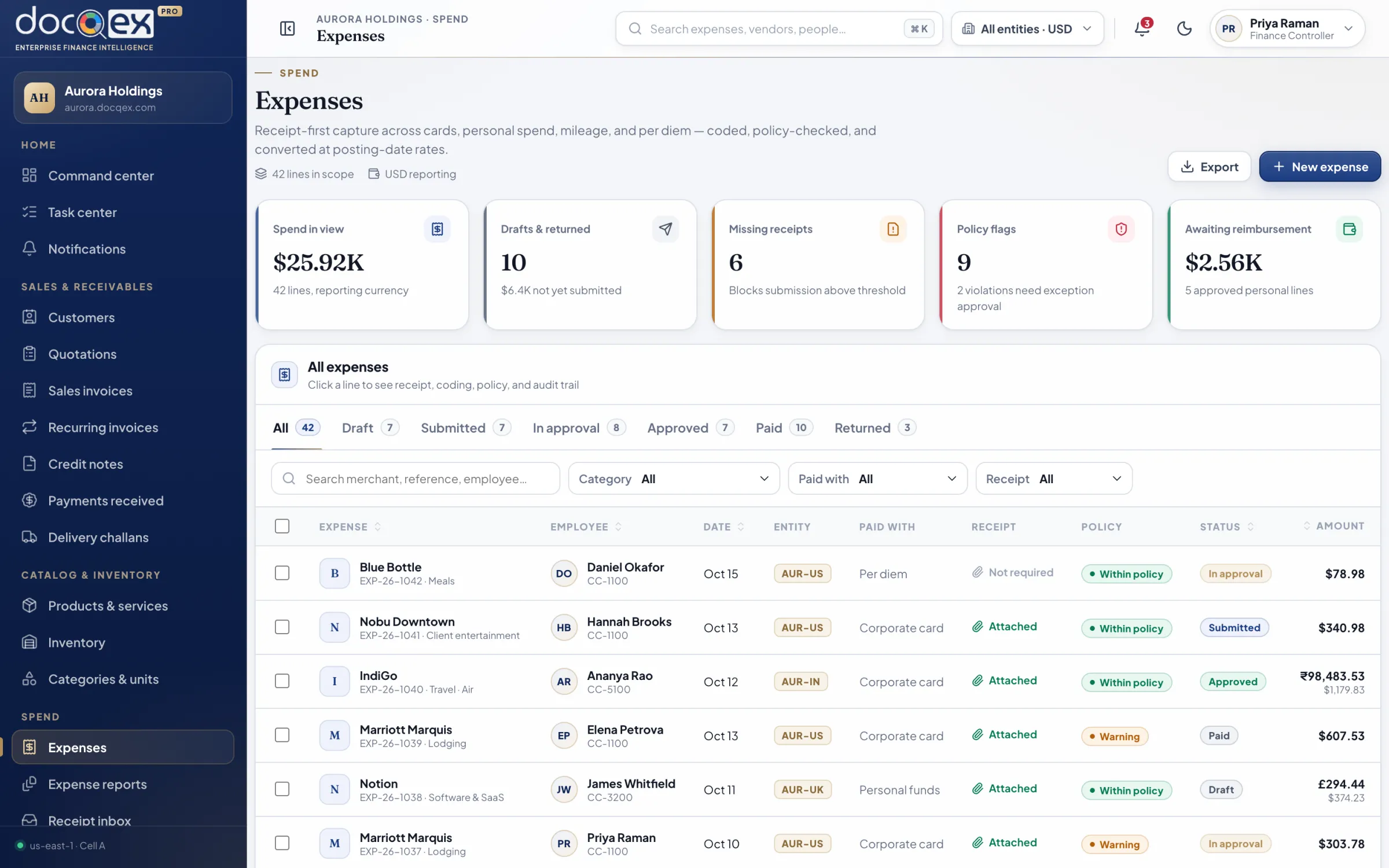
aurora.docqex.com/expenses
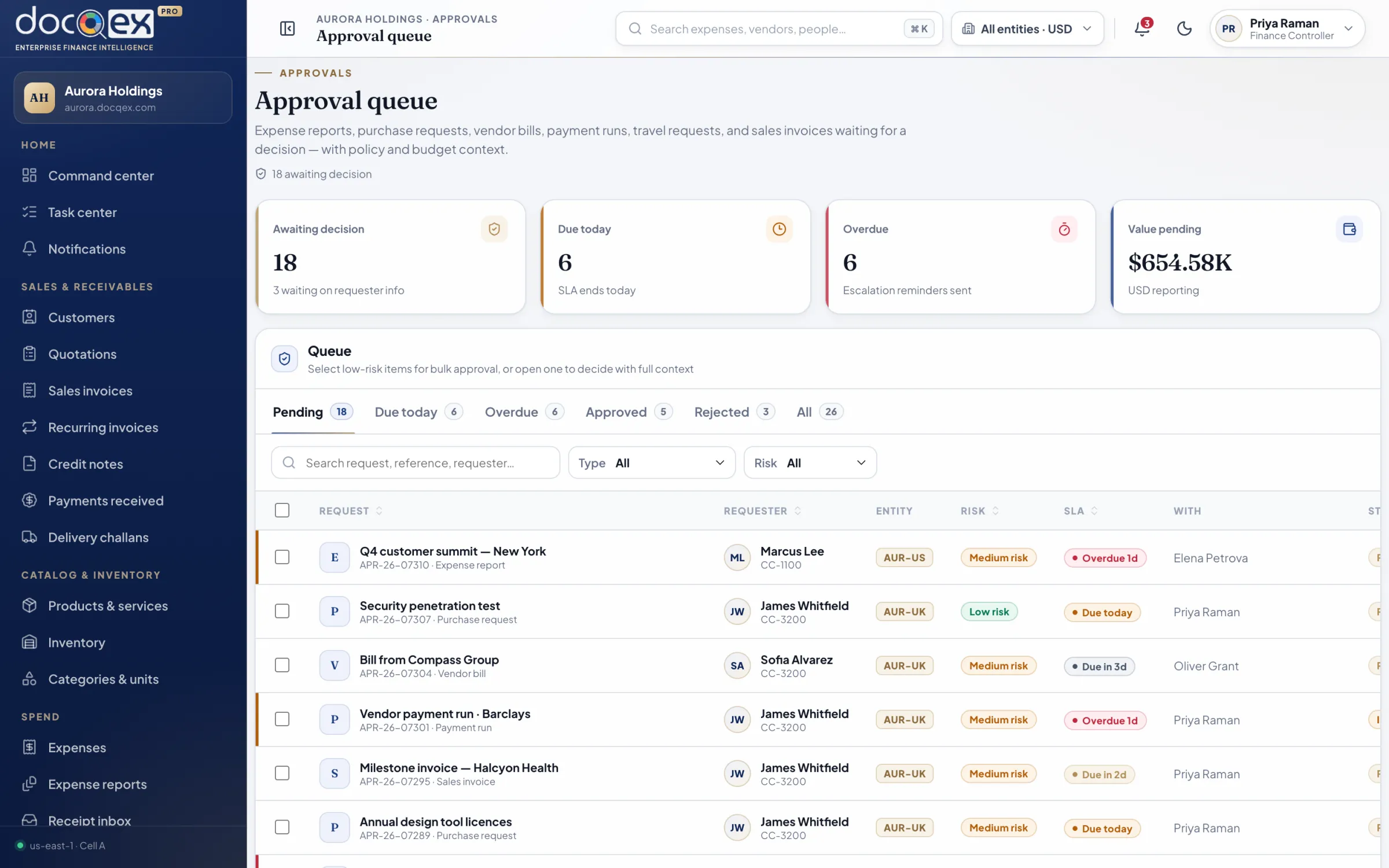
Approvals & policy
Every decision made with full context.
Approvers see the policy evaluation, budget position, and history beside each request. Rules are versioned, so every outcome can be traced to the exact policy that produced it.
Versioned policy sets with warnings, blocks, and required reasons
Amount, entity, and risk-based routing with delegation
SLA timers, reminders, and escalation
Bulk approval for low-risk items; full review for the rest
aurora.docqex.com/approvals
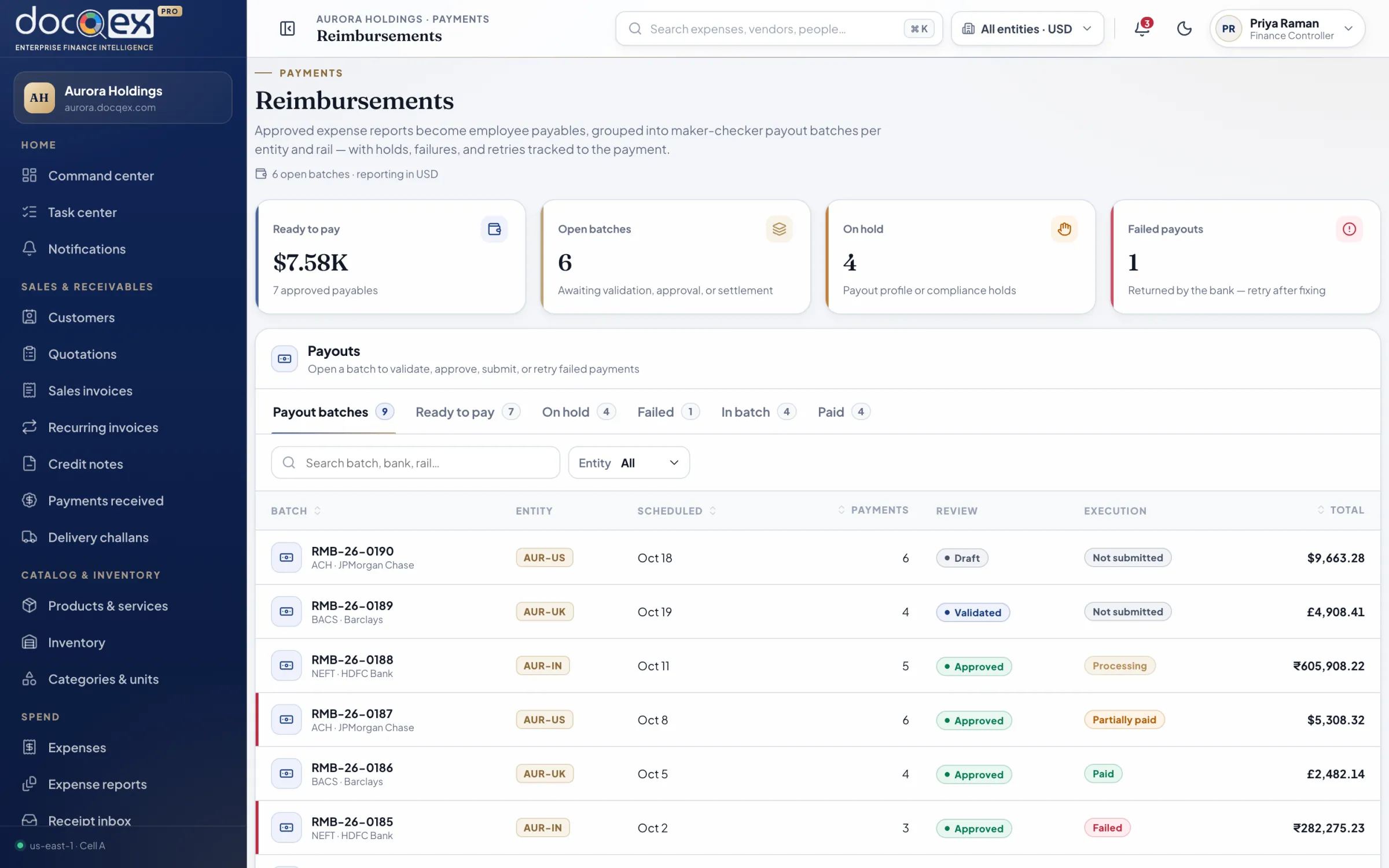
Reimbursements & advances
Pay people promptly, release funds deliberately.
Approved spend flows into payment runs with maker-checker release. Advances are issued, tracked, and settled against eligible expenses or repayment.
Payment runs with separate preparer and releaser
Advances issued, tracked, and settled
Disbursement accounts verified and masked
Remittance status visible to every employee
aurora.docqex.com/reimbursements
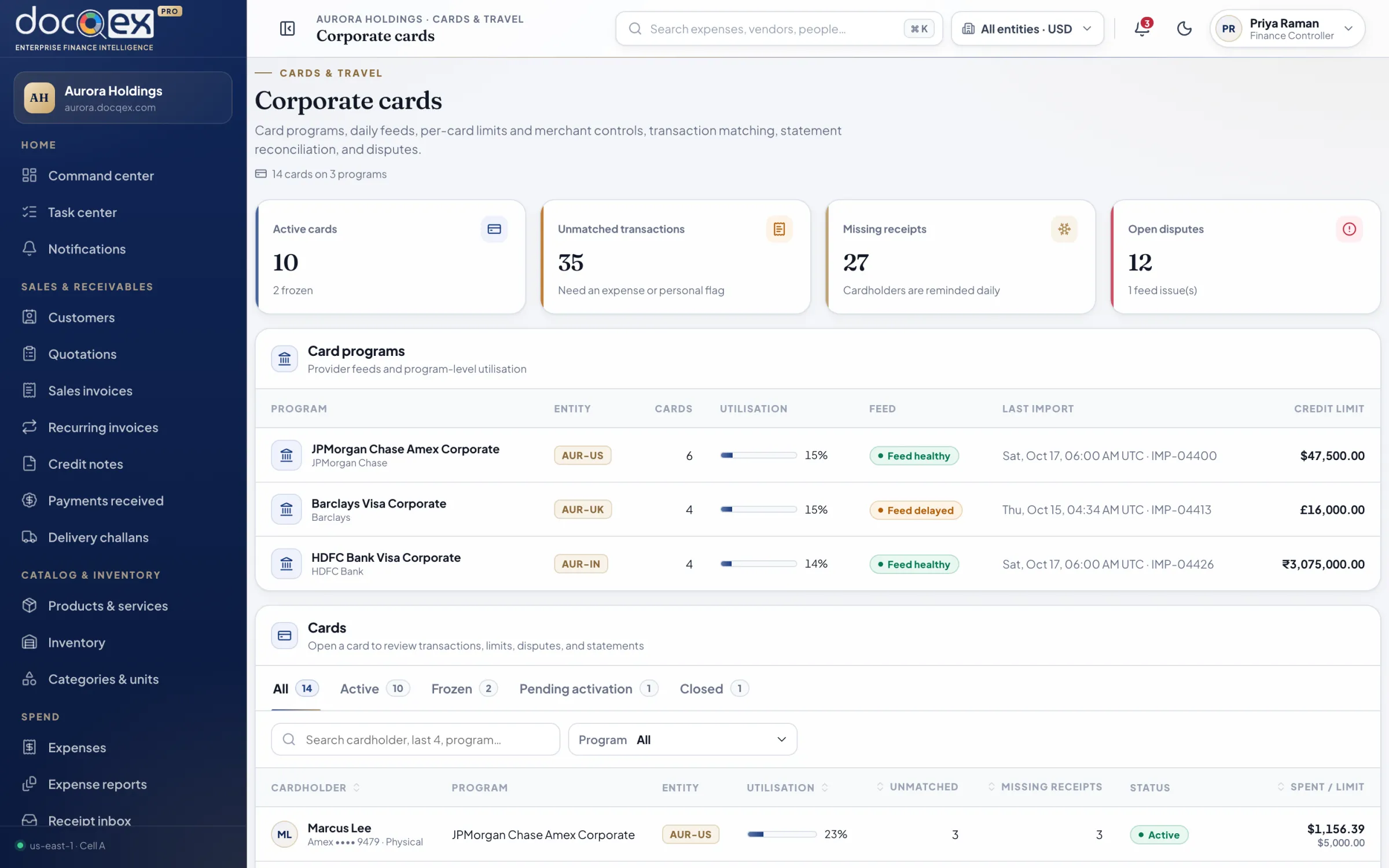
Corporate cards
Card spend, reconciled while it’s still fresh.
Card transactions arrive by feed and are matched to receipts and expenses automatically. Missing receipts are chased daily; disputes and refunds stay attached to the original line.
Programs, per-card limits, and merchant category controls
Automatic matching with missing-receipt reminders
Statement reconciliation and feed-health monitoring
Disputes, refunds, and personal-charge handling
aurora.docqex.com/cards
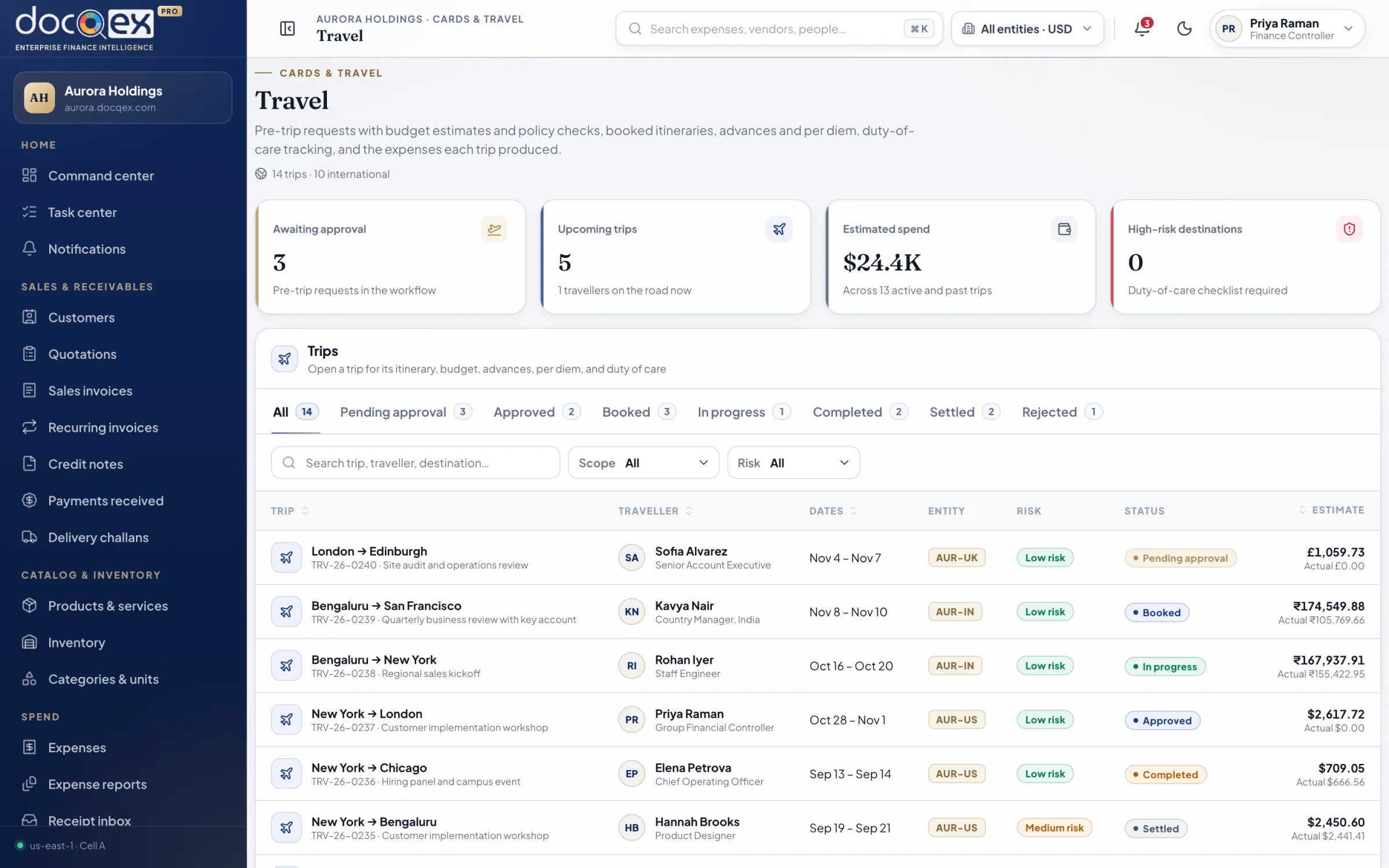
Travel & trips
Trips planned within policy, settled without chasing.
Travel requests carry their budget, itinerary, and advances. Every expense from the trip is grouped automatically, so settlement is a review rather than a reconstruction.
Pre-trip approval with trip budgets
Itineraries and travel-desk coordination
Trip advances and settlement
Expenses grouped by trip for review
aurora.docqex.com/travel
Operations
vendors, customers & catalog
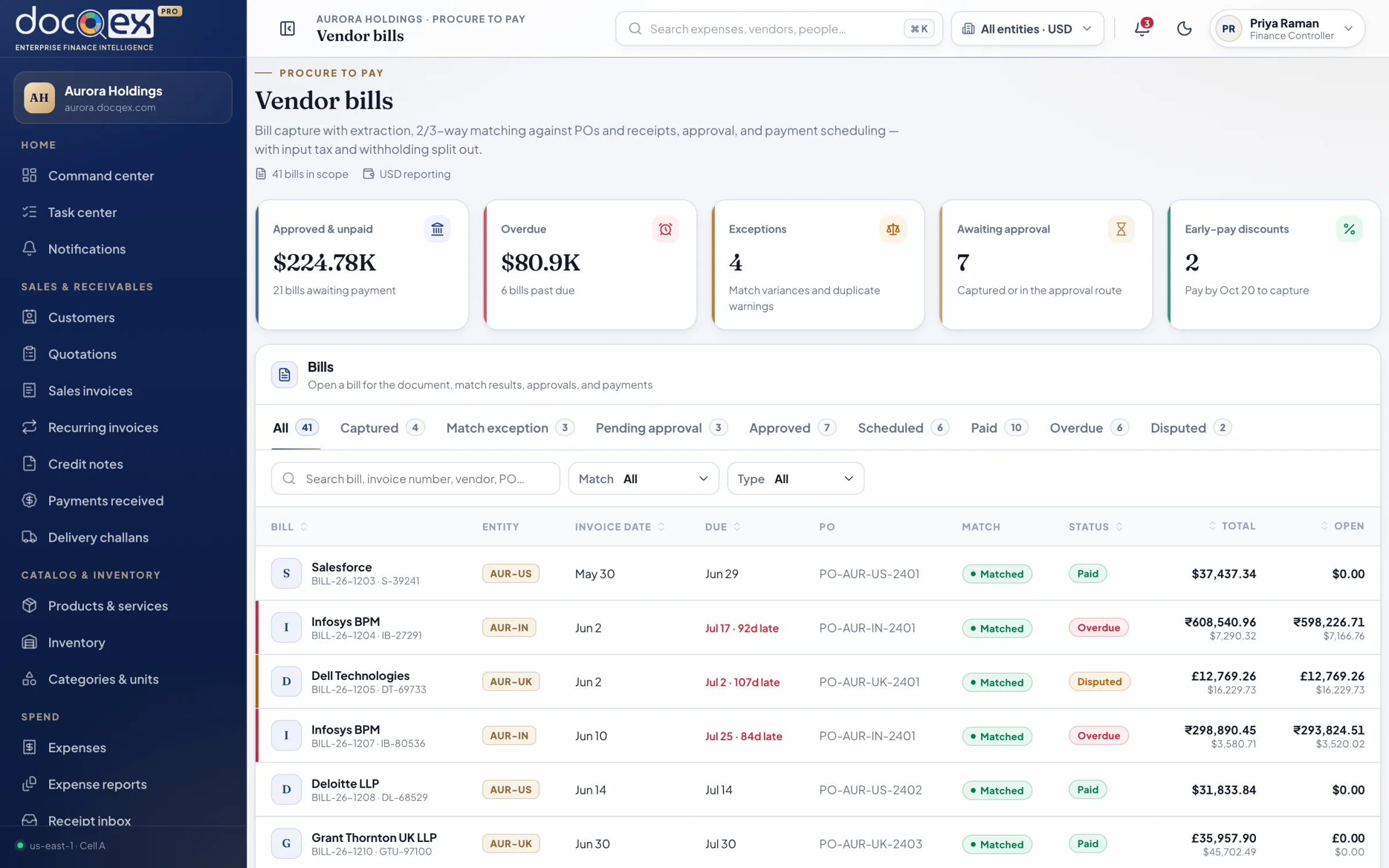
Procure to pay
Commit spend before it happens, not after.
Purchase requests consume budget the moment they are approved. Orders, goods receipts, and vendor bills are matched before payment is scheduled, and vendor statements reconcile against it all.
Vendor onboarding with verified bank details
Purchase requests, quote comparison, and purchase orders
Two- and three-way matching for vendor bills
Payment scheduling, debit notes, and AP aging
aurora.docqex.com/payables
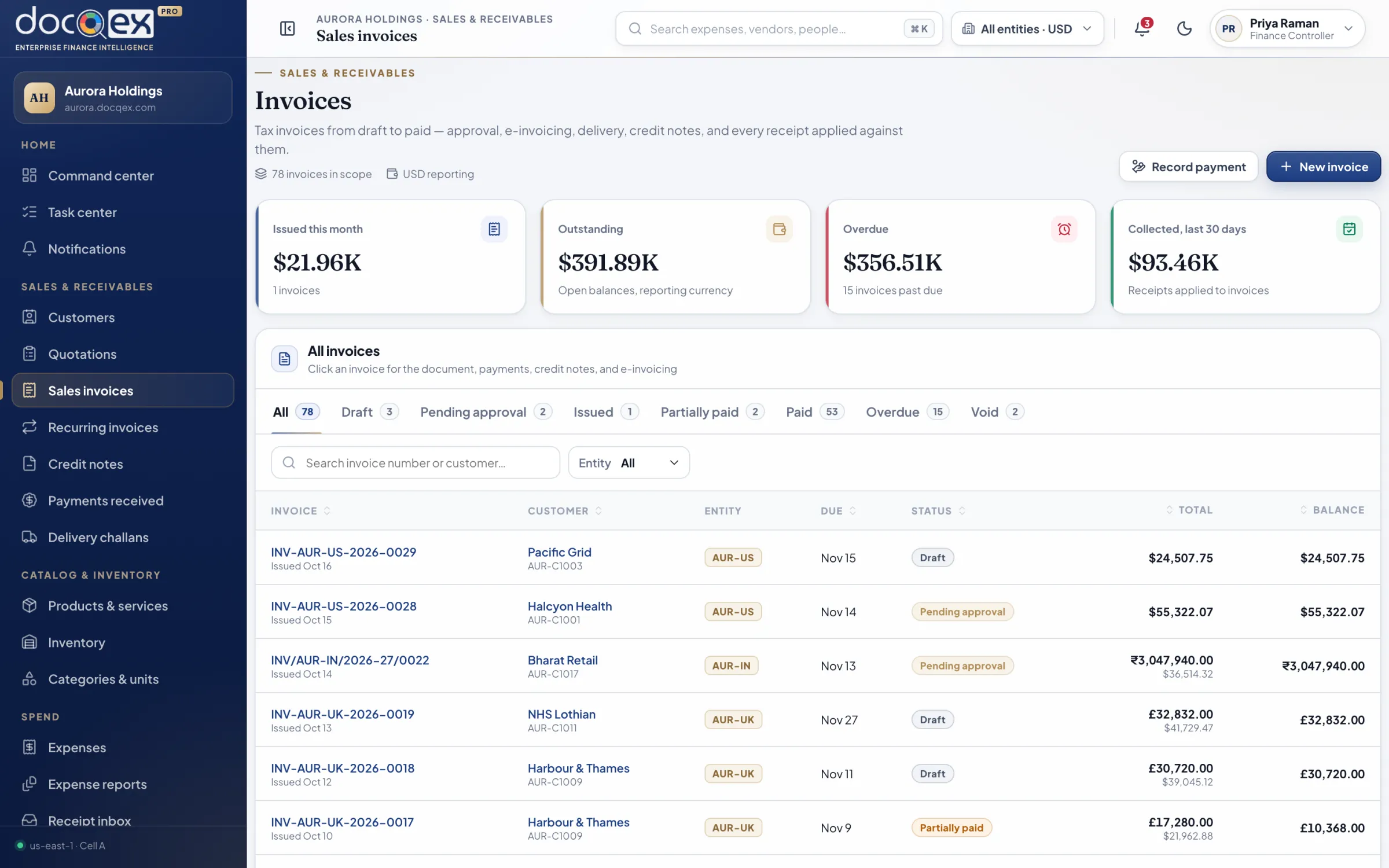
Order to cash
From quotation to cash in hand.
Customers, quotations, delivery challans, and sales invoices share one record. Payments received are allocated precisely; statements, AR aging, and dunning keep collections moving.
Quotations and delivery challans that convert to invoices
Recurring invoices and credit notes
Payment allocation across invoices and currencies
Customer statements, AR aging, and reminders
aurora.docqex.com/sales/invoices
Catalog & inventory
One catalog behind every document.
Products and services carry their units, tax codes, and prices into quotations, orders, and invoices. Optional stock tracking records movements and raises low-stock alerts.
01Products, services, categories, and units of measure
02Optional stock tracking with movement history
03Low-stock alerts
04Tax and accounting mappings per item
Insight & control
budgets, evidence & configuration
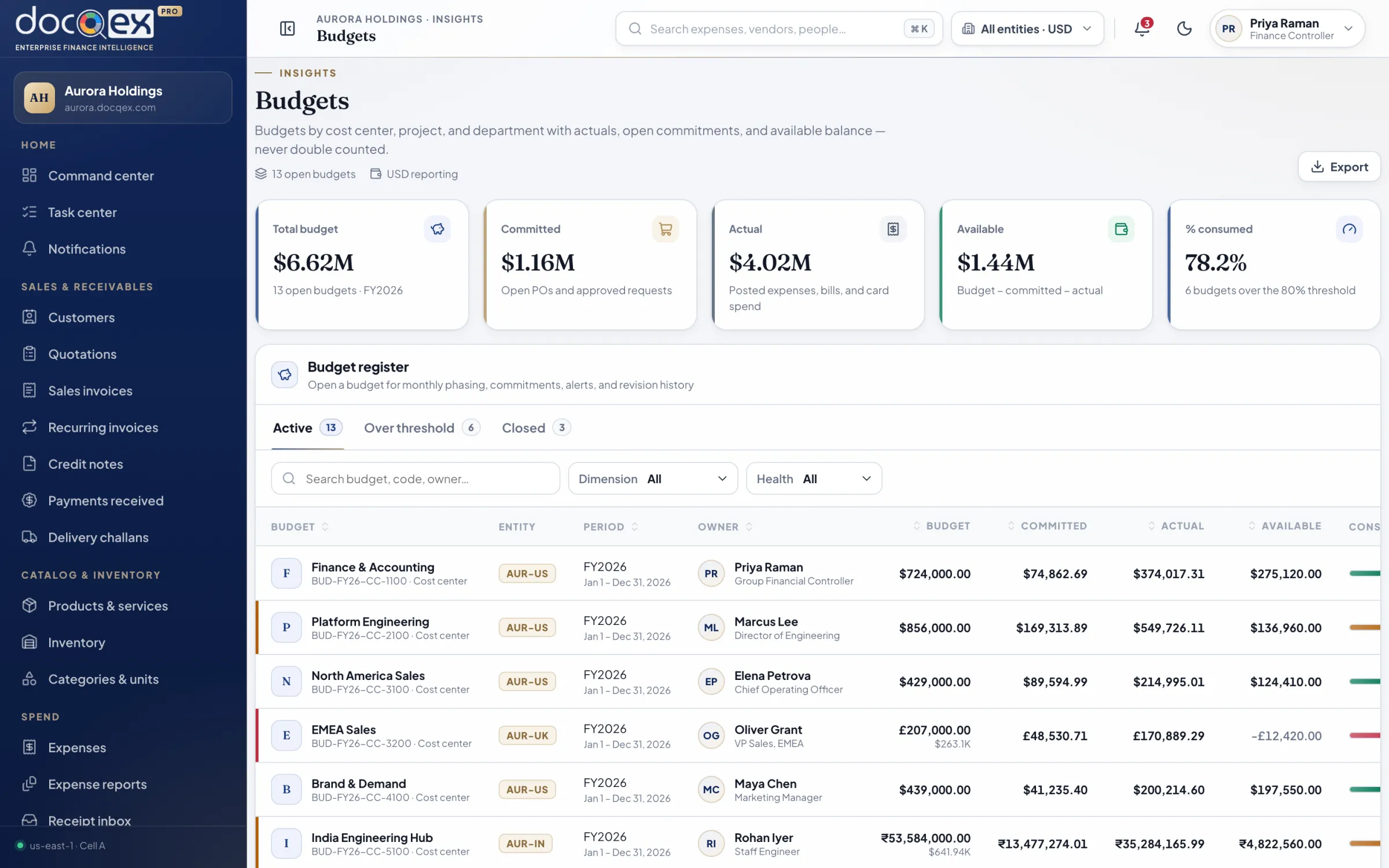
Budgets & analytics
Know what’s spent, committed, and still free.
Budgets track actuals and commitments separately, so leaders see real headroom. Reports define their source, date basis, and currency, and every number drills down to the records behind it.
Budgets by entity, department, project, and period
Actual, committed, forecast, and unpaid AP shown distinctly
Saved views and scheduled reports
Drill-down from every metric to its source records
aurora.docqex.com/budgets
Documents & evidence
Evidence that stands up to any audit.
Files are quarantined and scanned before they become business evidence, then linked to the records they support with retention and legal hold applied automatically.
01Virus-scanned uploads with quarantine
02Evidence linked to expenses, bills, and invoices
03Branded templates, numbering series, and signatures
04Retention schedules and legal hold
AI-assisted finance
Intelligence that defers to judgment.
DocQex suggests coding, extracts receipts, explains policy, and surfaces anomalies — always with confidence and evidence shown. It never approves, pays, or posts on its own.
01Receipt extraction and coding suggestions
02Duplicate and anomaly detection
03Confidence and evidence shown with every suggestion
04Tenant data is never used to train shared models
Entities & administration
Configured for how your group is actually structured.
Model every legal entity, branch, department, cost center, and project with effective dates. Currencies, tax profiles, branding, workflows, and retention are configured per tenant — and audited.
01Legal entities, branches, departments, and projects
02Per-entity currency, tax profile, and numbering
03Tenant branding, templates, and terminology
04Effective-dated, audited configuration changes
Foundations
The details that make it feel effortless.
Shared across every module, so the hundredth record behaves exactly like the first.
Command palette
Jump to any expense, vendor, invoice, or person with ⌘K — scoped to what you’re allowed to see.
Registers that scale
Server-side pagination, sorting, filters, saved views, column controls, and bulk actions on every list.
Effective-dated configuration
Policies, rates, mappings, and workflows change on a date — finalized records keep the version they used.
Corrections, never overwrites
Exported records lock. Adjustments, reversals, and credits link back to the original for a clean trail.
Notifications that matter
Actionable alerts in-app, by email, and in chat — each one linked to the record and its deadline.
Your brand, your terms
Tenant logo, palette, email identity, document templates, and terminology — without touching security.
Accessible by standard
Designed to WCAG 2.2 AA: keyboard paths, focus order, labels, live regions, and reduced motion.
Light and dark
A refined light workspace and a true dark theme, both tuned for long sessions with dense data.
Private demonstration
See your finance operation, composed.
A private, forty-five minute walkthrough shaped around your entities, policies, and approval structure — with the people who build DocQex.